Ultimate Habit Tracker vs Loop Habit Tracker: Android App or a Sheet on Every Device
Loop habit tracker iOS searches land on an Android app. Compare Loop's habit score, reminders and export with a spreadsheet month score.
By Ultimate Habit Tracker by Cosmo Suite · Editorial policy · Last updated
Disclosure: we make Ultimate Habit Tracker, one of the two products compared here. Facts about Loop Habit Tracker come from its public pages, linked with the day we checked them.
The short answer
Choose Loop Habit Tracker if you are on Android and want free, offline tracking with reminders and a score that forgives a bad day. Choose Ultimate Habit Tracker if you use an iPhone, a Mac or a PC and want one file with a month score that opens on all of them.
Feature comparison
| Feature | Ultimate Habit Tracker | Loop Habit Tracker | Notes |
|---|---|---|---|
| Works on iPhone | Yes | Nosource | Loop's own site links Google Play and F-Droid only, and its F-Droid listing requires Android 9.0 or newer. Ultimate Habit Tracker runs in the Excel and Google Sheets apps on iPhone. |
| A score that survives a bad week | Yes | Yessource | Loop's README says a few missed days after a long streak will not completely destroy your progress. Ultimate Habit Tracker counts the month percentage from the days shown, and one miss only pauses the streak. |
| A month percentage as the main score | Yes | Not publicly available | Ultimate Habit Tracker calculates a percentage from the days shown in its monthly grid. Loop's public pages describe a habit-strength score and charts, not a month percentage on the same basis. |
| Reminders and notifications | No | Yessource | Loop's README describes a reminder per habit at a chosen time, with check or dismiss from the notification. Ultimate Habit Tracker sends none, by design. |
| Home-screen widgets | No | Yessource | Loop's README lists widgets that let you check habits from the home screen. A spreadsheet opens in its own app. |
| Export your history to a spreadsheet | Yes | Yessource | Loop exports to CSV or SQLite. Ultimate Habit Tracker is the spreadsheet, so the history is already in one. |
| Sync across phone, tablet and computer | Partial | Nosource | Ultimate Habit Tracker opens the same file in the Excel or Google Sheets app on each device; Google Sheets syncs through your Google account. Loop's README describes an offline app with no account, and does not list sync. |
| One-time price | Yes | Yessource | Loop is free with no in-app purchases. Ultimate Habit Tracker is $9 once. |
Pricing
| Product | Price | Checked |
|---|---|---|
| Ultimate Habit Tracker | $9 one-time payment$9 one-time on the product page when checked on 2026-11-21; Excel and Google Sheets are both included. | Our current price |
| Loop Habit Tracker | FreeLoop describes itself as completely free and open source under GPLv3, with no in-app purchases and no habit limit. The same page links Google Play and F-Droid, which are Android stores. | As of · source |
Prices change. Loop Habit Tracker's price is as listed on its own pricing page on the day shown; check it there before you buy.
Who should pick which
Pick Ultimate Habit Tracker if
- You are on an iPhone, a Mac or a PC, or your household mixes them.
- You want a month percentage beside the streak, so four missed days still read as a month that mostly worked.
- You want one file you own, with 12 months pre-built, that you can open in ten years.
Pick Loop Habit Tracker if
- You are on Android and want free, ad-free, offline tracking with no account.
- You want a reminder per habit, widgets, and a check-off from the notification.
- You prefer a score that decays gradually over a streak that resets.
Where Loop Habit Tracker is strong
- Completely free and open source under GPLv3, with no in-app purchases and no habit limit.
- A habit-strength score that forgives a few missed days after a long run, in the app's own words.
- A reminder per habit at a chosen time, with check or dismiss from the notification.
- Home-screen widgets, and no internet connection or account needed.
- Export to CSV or SQLite, and checkmarks from other apps such as Tasker.
You searched for Loop Habit Tracker iOS and landed on a page that offers Google Play and F-Droid, both Android stores. The App Store shows an app with almost the same name from a different developer.
Loop Habit Tracker is an Android app, and a good one, with a free price and a score that forgives a bad day. On an iPhone, a Mac or a PC, a spreadsheet is the tracker that opens where you are. Both read a missed day as information rather than a punishment, though they count it in different units, and that difference is what this page is about.
Start with what Loop is, since it is worth understanding before you leave it behind.
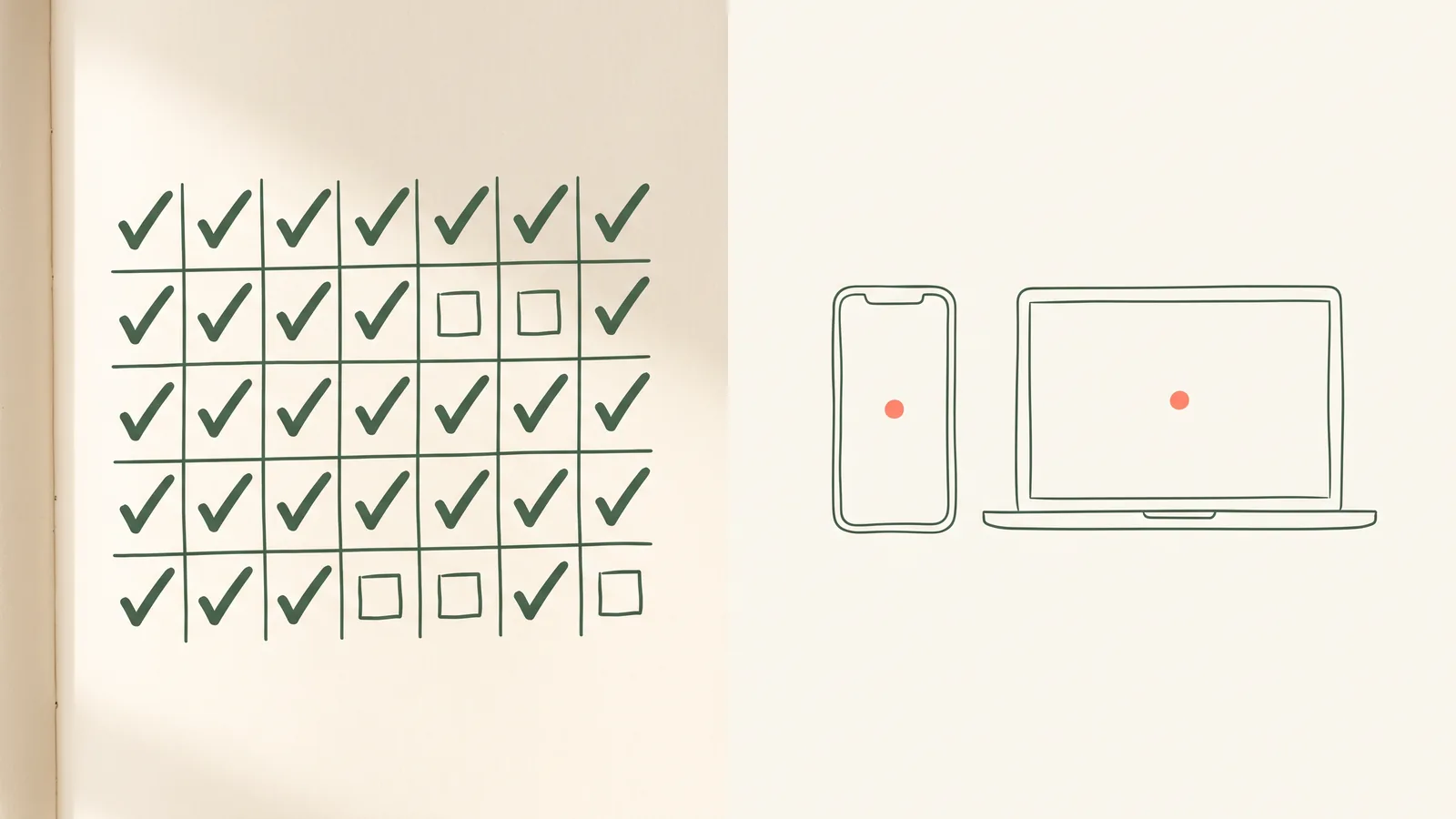
What Loop Habit Tracker Is, and Why the iOS Search Is Confusing
Loop Habit Tracker is a free, open-source Android app for building habits, and its name is the first thing that trips people up.
Its official site says it helps you "create and maintain good long-term habits" with "daily reminders, beautiful charts and insightful statistics". It describes itself as "completely free and open source (GPLv3)". The same page links to Google Play and F-Droid and nothing else. The F-Droid listing names Alinson Xavier as the developer and requires Android 9.0 or newer. It lists version 2.3.2, updated in October 2026.
That listing answers the search you typed: there is no iOS build from Loop's developer. Search the App Store and you will find "Loop Habit Tracker - Checklist" from Tech Atlas LLC, a free app with a 4.4 rating from 39 ratings on 21 November 2026. The US listing is real and the name is close. The app is not the open-source Loop, so check the seller name before you install.
The app underneath the name is well made. Its README describes flexible schedules such as three times a week or every other day. It also lists a reminder per habit at a time you choose, widgets that check a habit from the home screen, and export to CSV or SQLite. It needs no account and no internet connection. It puts no cap on how many habits you track.
The part worth carrying into any comparison is the habit score. A habit-strength score is Loop's running measure of how strong one habit is right now. It rises with each repetition and falls with each miss, and the fall is gradual rather than a reset to zero.
Loop puts the idea in its own words: "Every repetition makes your habit stronger and every missed day makes it weaker. A few missed days after a long streak, however, will not completely destroy your progress, unlike many other don't-break-the-chain apps."
That promise is why Loop gets recommended so often, and it raises the one question this page can answer honestly.
What a Missed Day Does in Each
A missed day lowers Loop's score gradually, while a spreadsheet leaves the box empty and keeps the month percentage counting.
A month percentage is the share of days you checked off in one calendar month. It counts days shown of days planned, so four empty boxes in a 30-day month read as 26 of 30 rather than a broken run.
Take one habit, planned every day for 30 days. Four are missed, for example a sick Tuesday, a travel Wednesday, and two days the plan simply did not happen. That leaves 26 completed days of 30, or 87 percent. On a month grid those four days are four empty boxes beside 26 filled ones, and the percentage is the month's answer to how it went.
In Loop the same four days pull the habit-strength score down. How far depends on the history behind them. The formula weighs a run of repetitions against the misses that follow. Loop's README says plainly that a few misses after a long streak do not wipe the progress out.
Loop handles one bad day better than a plain streak column does. If you have used an app that resets a chain to zero on a single miss, Loop's score answers that frustration directly, and it is free. A review of habit formation research in the British Journal of General Practice reports that missing an occasional chance to perform a behavior "did not seriously impair the habit formation process". The same review found automaticity gains resumed after one missed performance. It counts the pattern over weeks, not the individual day.
A month percentage measures something else. It answers "how often did I show up this month" and gives a Tuesday the same weight as a Saturday. Loop answers "how strong is this habit right now," which is closer to a momentum reading. Neither number is the truer one. Pick the question you actually ask when you open the tracker.
The Ultimate Habit Tracker keeps a streak too, under a rule built into the template: one missed day pauses the streak, and two misses in a row end it. The month percentage sits beside the streak, so a paused streak cannot hide a month that mostly worked.
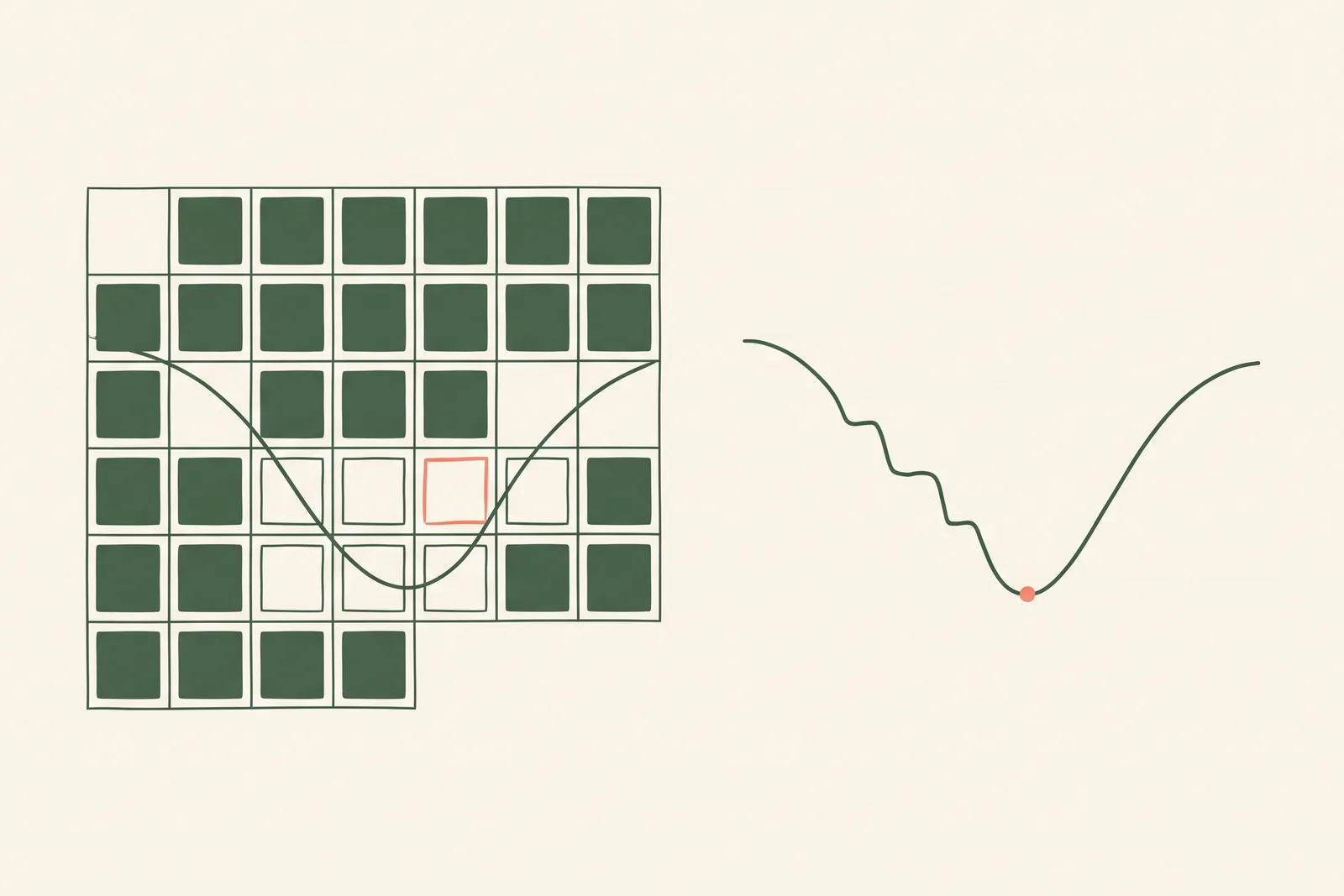
That is the worked example this page returns to: 30 planned check-ins, 4 missed, 26 of 30, or 87 percent. It is arithmetic on a sample month.
Loop Habit Tracker and a Spreadsheet at a Glance
Start with the device you own and the question you ask when you open the tracker. The matrix above has the full feature list with a source for each Loop claim; this table is the short version.
| What matters | Loop Habit Tracker | Ultimate Habit Tracker |
|---|---|---|
| Format | Android app | Excel and Google Sheets workbooks |
| Miss one scheduled day | The habit-strength score falls gradually | The streak pauses; the month percentage still counts |
| Main score | Habit strength, from Loop's own formula | Month percentage of days shown |
| Reminders | A reminder per habit, with notification actions | None, by design |
| Widgets | Yes, on the Android home screen | No |
| Devices | Android | iPhone, Android, Mac and PC through Excel or Sheets |
| Price checked 21 Nov 2026 | Free, open source | $9 once |
| Best for | Free, private, offline tracking on Android | One file with a month score on every device |
Two rows decide most of these choices. The device row settles it if you are on an iPhone, because Loop is not there. The score row settles it if you want the month as the number you read after a bad week.
If your question is about apps rather than files, the free habit tracker comparison covers which free tiers actually hold up.
What You Keep and What You Lose on an iPhone
On an iPhone you lose Loop itself, and you can keep its history if you export before you switch.
Loop has no iOS build, and no sync between devices. Its README describes an offline app with no account, which is a privacy strength and a device limitation at the same time. Your habits live on the Android phone they were created on.
The export is the bridge. Loop writes your checkmarks to a CSV file or a SQLite database, and both open outside the app. Export the file and keep it somewhere you will find it, and you have a dated record of every day you checked off. Keep it even if you never import it, because it is the only copy that leaves the phone.
What you cannot carry across is the app's behavior. On an iPhone, Loop's reminders, its widgets and its habit-strength curve stay behind. A spreadsheet does not replace those. It replaces the record, and that is the whole trade.
What a spreadsheet gives you on an iPhone is the same file you open on a Mac or a PC. The Ultimate Habit Tracker is an Excel workbook and a Google Sheets copy, both included, so it opens in the Excel or Sheets app on any of those devices. Google Sheets syncs the same file through your Google account, which is the closest thing to a multi-device tracker in this pair. Setup holds up to 25 habits, and each habit is typed once and flows into all 12 monthly tabs.
So you gain a month score, a file you own and a record that opens on any device. You lose reminders, widgets and notification actions, and you have to open the file yourself.
If the reason you want Loop on an iPhone is the widget on the home screen, no spreadsheet will match it. Say so plainly and stay on Android, or pick an Apple-native app.
How Daily Use Differs
Daily use is a tap in an app against a checkbox in a file, and the difference shows up in week three rather than day one.
In Loop you open the app, tap the habit, and close it. The reminder arrives at the time you set, and you can check or dismiss the habit straight from the notification. Its schedules are inferred rather than drawn. Loop's FAQ explains that if you want Monday and Friday, you set the habit to twice a week and the app works the days out from what you actually do. Setup is light, which is why the app feels fast.
In the spreadsheet you open the file and check a box in a grid. There is no reminder, so the moment you open it is yours to choose. A weekly review of five weekly goals and three monthly goals sits in the same tab. That review is what replaces the nudge.
Both trackers let you fix a forgotten day. Loop's checkmarks can be added from other apps through Tasker, and the sheet lets you fill in a day you missed entering. The difference is what the fix looks like afterward. In Loop the score moves a little. In the sheet the box fills and the month percentage changes with it.
One more difference matters for a Restarter: what happens at the start of a new year. The Ultimate Habit Tracker re-dates every month when you change the year in Setup, so the same 12 tabs carry into January without a rebuild. Loop's history runs continuously, which is simpler if you never want to look at a calendar year and harder if you do.
What Actually Keeps You Coming Back
The tracker you keep is the one whose rule matches how you handle a bad week, and that rule matters more than the feature list.
A rule that survives one miss. Loop's score and a month percentage both survive a single bad day, and that is the single most common reason people quit trackers. Any rule that treats one miss as the end of the run works against you. If you have ever abandoned an app after a reset to zero, you already know which kind of rule you need.
A record you can open anywhere. A file that opens on the phone in your pocket and the laptop on your desk is one less reason to stop. A record that lives on one device is one more thing to lose.
A review you schedule. Apps that remind you also decide when you think about your habits. A file you open on Sunday evening puts that decision back with you, which suits some readers and frustrates others. Be honest about which one you are.
A score that shows the month. A streak tells you what happened since the last miss. A month percentage tells you how the month went, and the second question is the one most people ask in week four.
If the month-as-score idea is the one that fits, the Ultimate Habit Tracker workbook, with the streak and the percentage side by side in one file, is built for exactly that reading. For the wider format question, the habit tracker spreadsheet guide compares the layouts and walks through the same grid on a phone.

Why Trust This Comparison
Cosmo Suite makes the Ultimate Habit Tracker, so the spreadsheet is one side of this comparison. Every Loop claim here comes from Loop's own material: its site, its README, its F-Droid listing, its FAQ and the App Store listing for the same-name app. Each check is dated 21 November 2026 and named in the sources. We did not test Loop hands-on for this article and have not used it for a full month. Prices and store listings change, so check the listing before you install. Read about Cosmo Suite and the editorial policy for how we prepare and correct articles.
Where the Ultimate Habit Tracker Fits
The Ultimate Habit Tracker is a spreadsheet for someone who wants the month as the score and a file they own, and it is the one on this page we make.
It has 21 tabs across four sections. Setup holds up to 25 habits, each with a category, color and target days. A hundred habit ideas sit beside it for the blank-page problem. Twelve monthly tabs carry a daily checkbox grid, mood, energy, sleep hours, five weekly goals, three monthly goals and a one-line note. A dashboard, an annual goals tab, streaks and comebacks, habit patterns and a year in review sit alongside them.
The mechanics answer the missed-day question directly. The month percentage counts every day you showed up, so a gap does not erase it. One missed day pauses a streak, and two in a row end it. A forgotten day can be filled in later, comebacks are counted, and changing the year in Setup re-dates all twelve months.
It is delivered in Excel and Google Sheets, both included, for $9 once with no subscription. It has no reminders, which is the limit that comes with the format. See the Ultimate Habit Tracker workbook and its contents if a month score in a file you own is the trade you want.

Frequently asked questions
Is Loop Habit Tracker available on iPhone?
No. Loop Habit Tracker's own site links Google Play and F-Droid only, and its F-Droid listing requires Android 9.0 or newer. There is no iOS build from its developer, Alinson Xavier. If you search the App Store, you will find apps with similar names from other developers, so check the seller name before you install one.
What is the Loop Habit Tracker app on the App Store?
A different app. The US App Store lists "Loop Habit Tracker - Checklist" from Tech Atlas LLC, a free app with 4.4 stars from 39 ratings on 21 November 2026. It is not the open-source Loop from loophabits.org. Read the developer name on the listing before you install, because the name alone does not tell you which app you have.
How does Loop's habit score work?
Loop's README describes an advanced formula for habit strength. Every repetition makes a habit stronger and every missed day makes it weaker, but a few missed days after a long streak will not completely destroy your progress. It is a gradual score rather than a reset, which is why people who dislike streak apps recommend it.
Can I move my Loop history into a spreadsheet?
Yes. Loop exports to CSV or SQLite, and both open outside the app. Export first, keep the file, then set your habits up in a sheet and enter the days you want to carry over. Loop's format is not read directly by any tracker, so expect a one-time setup rather than an automatic import.
Does a spreadsheet send reminders?
No. The Ultimate Habit Tracker has no notifications by design, and Excel and Google Sheets do not send habit reminders on their own. If a reminder is what gets you to check in, Loop is the better pick. The trade is that a reminder also decides when you think about your habits.
Which one is cheaper over five years?
Loop, because it is free. Loop has no in-app purchases and no habit limit. The Ultimate Habit Tracker is $9 once with no subscription, so the gap is $9 over any number of years. Price is rarely the deciding question here, since both avoid the yearly fees of subscription habit apps.
Can I use the same tracker on an Android phone and a Mac?
With a spreadsheet, yes. The Ultimate Habit Tracker is an Excel and Google Sheets file, so it opens on Android, iPhone, Mac and PC through those apps, and Google Sheets syncs the same file through your Google account. Loop stays on Android and does not sync between devices.
