5 Habitica Alternatives for When the Game Becomes the Chore (2026)
Habitica alternative options, grouped by why you leave: missed-day damage, party pressure, or the admin. Five picks with dated prices and their miss rules.
By Ultimate Habit Tracker by Cosmo Suite · Editorial policy · Last updated
Disclosure: we make Ultimate Habit Tracker, one of the two products compared here. Facts about Habitica come from its public pages, linked with the day we checked them.
The short answer
Choose Loop Habit Tracker if you are on Android and want free. Choose Habitify if you need to skip or pause a habit. Choose Streaks for an Apple one-time purchase. Choose TickTick if your habits live beside your task list. Choose a spreadsheet if you want the month as the score and a file you own.
Feature comparison
| Feature | Ultimate Habit Tracker | Habitica | Notes |
|---|---|---|---|
| A missed day costs you something | No | Yessource | Habitica's own app text warns of greater damage when a Daily is missed. In Ultimate Habit Tracker a missed day is an empty box and the month percentage still counts. |
| Pause the penalty for travel or illness | Partial | Yessource | Habitica's Pause Damage setting stops missed Dailies from damaging you, and task streaks do not reset while it is on. Ultimate Habit Tracker has no penalty to pause; one missed day pauses the streak by rule. |
| Reminders and notifications | No | Yessource | The Habitica App Store listing names reminders and widgets. Ultimate Habit Tracker sends none, by design. |
| Works in Excel and Google Sheets | Yes | Nosource | Ultimate Habit Tracker is delivered as Excel and Google Sheets files. Habitica runs on iPhone, Android and the web. |
| A monthly completion percentage | Yes | Not publicly available | Ultimate Habit Tracker calculates a percentage from the days shown in its monthly grid. Habitica's public pages describe streaks and game stats, not a month percentage on the same basis. |
| One-time price | Yes | Partialsource | The core app is free. Ultimate Habit Tracker is $9 once. The Habitica subscription is optional and renews on the period you buy. |
| A recurring fee to keep the full experience | No | Yessource | Habitica's subscription runs $4.99 a month or $47.99 a year as listed. Ultimate Habit Tracker has no subscription. |
Pricing
| Product | Price | Checked |
|---|---|---|
| Ultimate Habit Tracker | $9 one-time payment$9 one-time on the product page when checked on 2026-11-21; Excel and Google Sheets are both included. | Our current price |
| Habitica | Free core; optional subscription at $4.99/month, $14.99/3 months, $29.99/6 months, $47.99/12 monthsUS App Store in-app purchase prices checked on 2026-11-21. Gems are sold separately, from $0.99 for 4 to $19.99 for 84. Prices can differ by storefront. | As of · source |
Prices change. Habitica's price is as listed on its own pricing page on the day shown; check it there before you buy.
Who should pick which
Pick Ultimate Habit Tracker if
- You want a month score beside the streak, so four missed days still read as a month that mostly worked.
- You want a file you own, in Excel or Google Sheets, that opens on any device.
- You do not need reminders and you will open the tracker on your own schedule.
Pick Habitica if
- Game rewards, an avatar and party quests make you want to come back.
- You want reminders, widgets and a phone-first check-in.
- You like a social layer: parties, quests and shared challenges.
Where Habitica is strong
- The core app is free, with optional subscriptions and gem purchases.
- Reminders, widgets and streak counters are listed on its current App Store page.
- Parties, quests and shared challenges add a social layer most habit apps do not have.
- Pause Damage in Settings stops missed Dailies from damaging you during travel or illness.
You missed a Daily on Tuesday. On Wednesday morning Habitica told you your avatar took damage, and by Thursday the app felt less like a tracker and more like a bill.
That is the usual reason people go looking for a Habitica alternative. The game itself is well made. What sends people looking is what it does to a normal bad week. The five options below are Loop Habit Tracker, Habitify, Streaks, TickTick and a spreadsheet. They are grouped by the reason you are leaving: the missed-day penalty, the party you do not want to let down, or the admin of keeping a character alive. Prices were checked on 21 November 2026, and each option's missed-day rule comes from its own listing or help pages.
What a Missed Day Costs You in Habitica
Habitica is a habit tracker built as a role-playing game: tasks earn gold and experience, a missed Daily costs health, and players team up in parties for quests. It sorts your tasks into Habits, Dailies and To-Dos. A Daily is the one that matters here, because it repeats on a schedule and it is the task that gets processed when the day rolls over. Habitica's own English app text warns of "greater damage when a Daily is missed or a negative Habit is clicked." An unchecked Daily costs health.
The app does give you a way out. Pause Damage, in Settings, stops missed Dailies from hurting you, and the same setting says your task streaks will not reset while it is on, as Habitica's own settings copy puts it. That works for a travel week or an illness. It is also a switch you have to remember to flip, and flipping it back is one more decision on a day you are already behind.
Here is the same month scored two ways. Take one habit, scheduled every day, and 30 planned check-ins. Four are missed: a sick Tuesday, a travel Wednesday, and two days the plan simply did not happen. That leaves 26 completed days of 30, or 87 percent. In Habitica the four misses are four damage events, softened only if you paused. On a month grid the same four days are four empty boxes and the month still reads 26 out of 30.
Consider what that difference does to a Tuesday in week two. Imagine you are three weeks in, you have missed four days, and you open the app before bed. In Habitica the screen tells you what those four days cost. On a grid the screen tells you that 26 of 30 boxes are filled, which is a month that mostly worked.
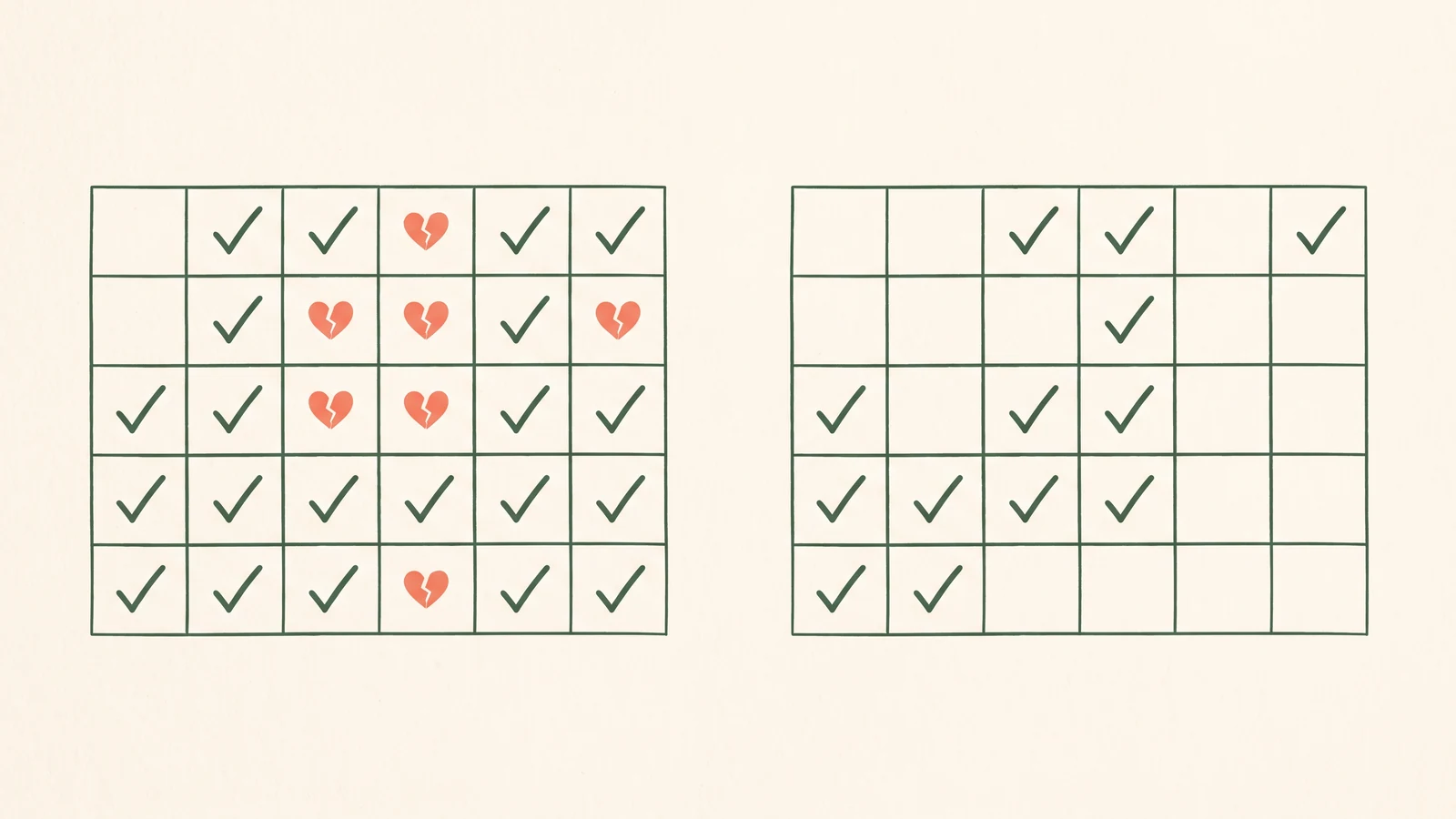
Both readings are honest, and they answer different questions. A damage event tells you what today cost. A month percentage tells you how the month went, which is the question most people have when they decide whether to keep going.
Habitica Alternatives at a Glance
Start with the reason you are leaving, then pick the row that answers it. Every price below was checked on its own official page on 21 November 2026.
| Alternative | What happens on a missed day | Platforms | Price checked 21 Nov 2026 | Best for |
|---|---|---|---|---|
| Loop Habit Tracker | A gradual habit score falls; a few misses do not erase it | Android | Free and open source | Free tracking on Android |
| Habitify | Mark the habit skipped or missed, or pause it | iOS, Android, Mac, Apple Watch, web | Free for 3 habits; Premium $29.99/year or $59.99 lifetime | Flexible schedules and pausing |
| Streaks | Built around a consecutive-day chain; a miss interrupts it | iPhone, iPad, Mac, Apple Watch, Apple Vision | $5.99 once | Apple users who want a one-time purchase |
| TickTick | Keeps habit statistics beside your tasks | iOS, Android, desktop, web | Free for 5 habits; Premium $49.99/year | Habits inside a task manager |
| Ultimate Habit Tracker | An empty box; the month percentage still counts | Excel and Google Sheets, any device | $9 once | A month score in a file you own |
Two rows in that table are the ones people skip past. Loop and a spreadsheet both treat a miss as information rather than a charge. They get there by different routes: Loop lowers a score you can watch recover, and a sheet keeps the whole month visible beside the streak. If cost is the deciding question, the free habit tracker comparison covers that field, and the best habit tracker app guide scores the same apps on other questions.
The Alternatives, One at a Time
Each option gets a verdict first, then the case for it and the case against. If you are leaving Habitica because of the missed-day damage, read the first two rows closely.
Loop Habit Tracker: the free Android score
Loop Habit Tracker is the strongest free answer, if you are on Android. Its README describes an Android app on Google Play, F-Droid and direct APK releases, "completely ad-free and open source" under GPLv3, with no in-app purchases and no account.
The habit score is the part that answers Habitica's weakness. That same README describes an "advanced formula for calculating the strength of your habits": repetitions strengthen a habit, missed days weaken it, and a few misses after a long run do not wipe out your progress. Nothing is taken from you at midnight, which is the difference between this and a damage event.
Best for: Android users who want free, private, offline tracking with a score that survives a bad week.
What you give up: iPhone and desktop. Its README links to Google Play, F-Droid and a direct APK release, so if your household is half Apple, this is not the shared option. You also give up any social layer, which some people miss more than they expect.
Habitify: the skip-and-pause app
Habitify is the option to look at if your problem is not the game but the rigidity. Its US App Store listing says you can "mark habits done, skipped, or missed, and pause anytime life changes." That single sentence covers most of what a Restarter needs: a sick day can be a skip, not a failure.
It runs on iPhone, iPad, Mac and Apple Watch, and Habitify's own site lists Android and a web app as well, so it is the most portable app on this list. The free plan covers 3 habits. Premium is listed at $2.49 a month billed annually at $29.99 a year, or $59.99 once for lifetime, on Habitify's pricing page checked on 21 November 2026.
Best for: people who need to skip or pause a habit without breaking the record, across several devices.
What you give up: the free tier stops at 3 habits, which is tight if you are tracking sleep, water, reading, movement and one more. The lifetime price is a real one-time option, so compare it against a $9 sheet on features rather than on price alone.
Streaks: the Apple one-time purchase
Streaks is the simplest swap for an iPhone user who mostly wants the chain. Its US App Store listing shows $5.99, a 4.8 rating from 27K ratings, and support for iPhone, iPad, Mac, Apple Watch and Apple Vision. Its support page answers the subscription question directly: "Streaks is a one-time purchase, so there's nothing to cancel."
That is the cleanest cost story of any app here, with no renewal, no gem shop and no party to keep alive.
Best for: an all-Apple household that wants one purchase and no subscription.
What you give up: reach. Streaks lists Apple devices only. If you also work on a Windows laptop or an Android phone, your habits stay on the Apple side. The app is built around consecutive-day streaks, so a miss still interrupts the chain in the way Habitica's damage does, minus the role-play.
TickTick: habits beside your task list
TickTick is worth considering if your habits live in a separate app from everything else. It is a to-do list and calendar app with a habit tracker built in. TickTick's own feature page says "Detailed statistics and feedback help you develop good habits," and its Constant Reminder keeps a notification ringing until you complete the task, which suits people who forget rather than people who resist.
The free plan covers 5 habits. Premium is $49.99 a year and raises the habit limit to 299, on TickTick's upgrade page checked on 21 November 2026.
Best for: someone who already runs their week in a task manager and wants habits in the same place.
What you give up: the habit view is one part of a larger tool, so it is less focused than a dedicated tracker. TickTick's public pages describe habit statistics, not a documented missed-day rule, so check how it treats a gap before you commit your streaks to it.
Ultimate Habit Tracker: the month grid you own
The Ultimate Habit Tracker (ultimatehabittracker.site) is the spreadsheet route, and it is the one on this page we make. A missed day is an empty box. The month percentage counts every day you showed up, so a month with four misses still reads as 26 days of 30 rather than four penalties. One miss pauses the streak and two in a row end it, which is the never-miss-twice rule written into the sheet.
It is Excel and Google Sheets, both included, so it opens on iPhone, Android, Mac and PC through those apps. It costs $9 once and has no subscription.
Best for: the reader who wants the month as the score, a file they own, and no reminders pulling at them.
What you give up: notifications. The file will not remind you, by design. If a nudge is what gets you to check in, Habitica or TickTick will serve you better, and that is a fair reason to stay.
What Actually Keeps You Coming Back
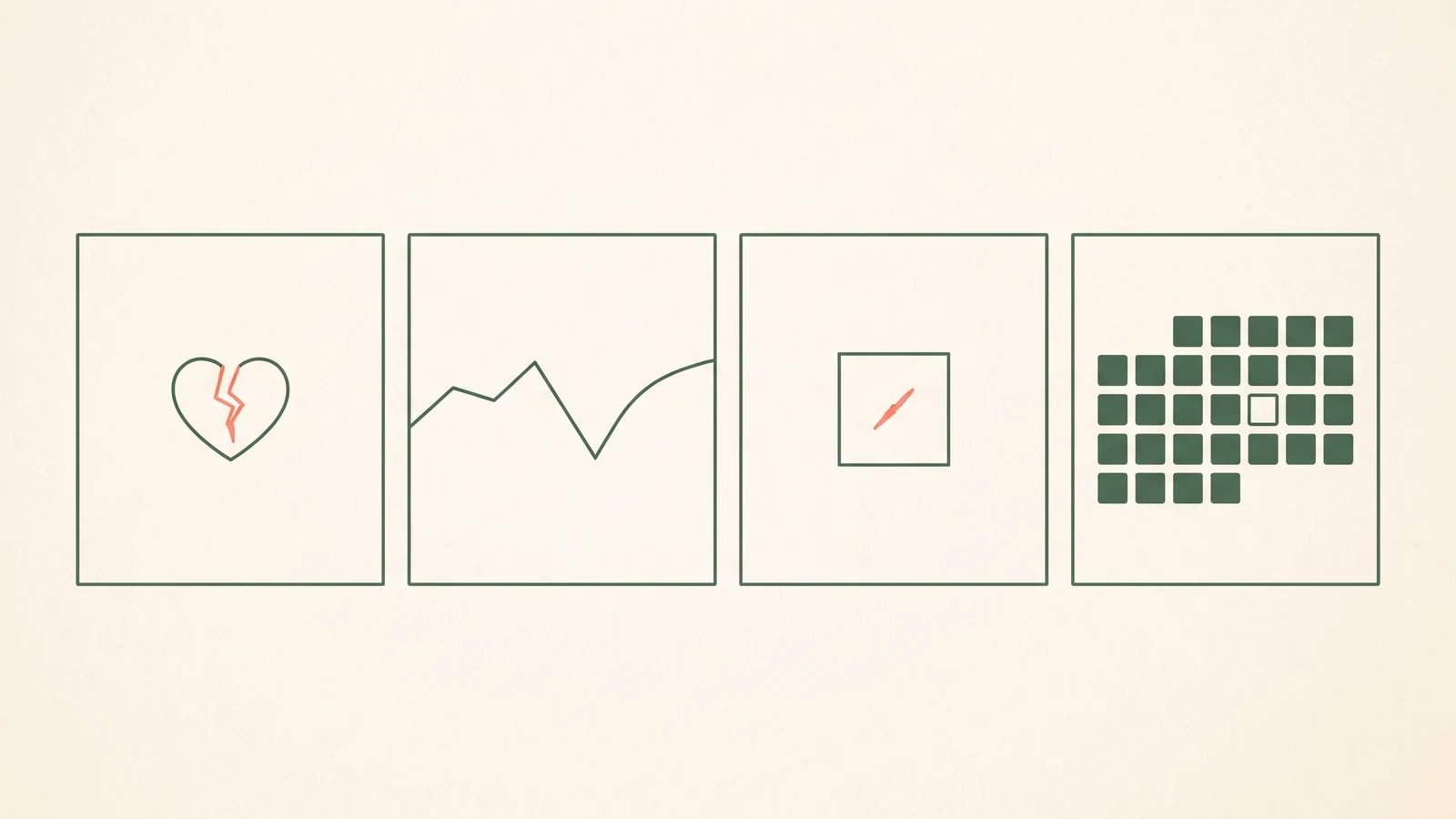
The alternative you pick matters less than the rule it uses after a miss. Four things separate a tracker you keep from one you abandon in week three.
A recovery rule you can see. Loop's falling score and a month percentage both show you a way back. A damage event shows you a cost, and the next morning feels like a debt rather than a fresh start.
A score that survives one miss. The single most common reason people quit trackers is one bad day reading as a reset. Any rule that treats a single miss as the end of the run is working against you. A review of habit formation research in the British Journal of General Practice reports that missing the occasional chance to perform a behavior "did not seriously impair the habit formation process," and that automaticity gains resumed after one missed performance. The research counts the pattern over weeks, not the individual day. A tracker that scores the pattern is closer to how the habit actually forms.
A review you do on your own schedule. Apps that remind you also decide when you think about your habits. A file you open on Sunday evening puts that decision back with you.
Owning the file. Apps change prices, shut down and redesign. A spreadsheet you downloaded opens in ten years, which matters if your record needs to outlast this year.
If the month-as-score idea is the one that fits, the Ultimate Habit Tracker workbook keeps the streak and the percentage side by side in one file, so you can read both after a bad week. For the wider format question, the habit tracker spreadsheet guide compares the layouts, and the Habitica review goes deeper on the damage model this page is leaving behind.
Why Trust This Article
Cosmo Suite makes the Ultimate Habit Tracker, so the spreadsheet is one side of this comparison. The methodology behind every competitor claim is the same: read that company's own App Store listing, support page, pricing page or public app text, then record the date of the check. Each of those checks is dated 21 November 2026 and named in the sources below. We did not test any of these apps hands-on for this article. Prices change and vary by storefront, so check the listing before you buy. Read about Cosmo Suite and the editorial policy for how we prepare and correct articles, or contact the team through the site if a fact needs fixing.
Where the Ultimate Habit Tracker Fits
The Ultimate Habit Tracker is a spreadsheet for someone who wants the month as the score and a file they own. It has 21 tabs across four sections. Setup holds up to 25 habits, each with a category, color and target days. Twelve monthly tabs carry a daily checkbox grid, mood, energy, sleep hours, weekly goals and a one-line note. A dashboard, an annual goals tab, streaks and comebacks, habit patterns and a year in review sit alongside them.
The month percentage counts every day you showed up, so a gap does not erase it. One missed day pauses a streak, and two in a row end it. A forgotten day can be filled in later, and comebacks are counted. Habits are typed once and flow into all twelve months, and changing the year in Setup re-dates every month.
It is delivered in Excel and Google Sheets, both included, for $9 once. It has no reminders, a limit that is also the design. See the Ultimate Habit Tracker workbook and its contents if a month score in a file you own is the trade you want.
Frequently asked questions
What is the best free Habitica alternative?
Loop Habit Tracker is free and open source on Android, with no ads and no in-app purchases. If you want habits beside a task list, TickTick's free plan covers five habits. Habitica's own core app is also free if the game layer still works for you. Prices checked 21 November 2026.
Which alternative handles a missed day best?
It depends on what you want to see. Loop keeps a gradual habit score, so a few misses lower it without wiping it. Habitify lets you mark a habit skipped or pause it. A spreadsheet shows the month as a percentage, so four missed days in 30 still read as 26 of 30. Habitica's alternative is a damage event unless you pause it.
Is there a Habitica alternative without a subscription?
Yes. Loop Habit Tracker is free. Streaks is $5.99 once in the US App Store as checked on 21 November 2026, and its support page says it is a one-time purchase with nothing to cancel. The Ultimate Habit Tracker is $9 once. Habitify also sells a $59.99 lifetime option beside its yearly plan.
Does Habitica work on Android and iPhone?
Habitica lists an iPhone app, an Android app on Google Play and a web version, so it runs on both phone families. That is one reason people stay: the same account and party follow you across devices. The alternatives here differ. Loop is Android only, Streaks is Apple only, and a spreadsheet runs anywhere Excel or Google Sheets does.
Can I keep my Habitica history if I switch?
Partly. Habitica has a Data Export option in its settings, so keep that file before you leave. No other tracker reads Habitica's format directly, so expect to set your habits up again. If you move to a spreadsheet, the first setup is the slow part and the daily use after it is a checkbox.
Is a spreadsheet better than a habit app?
A spreadsheet wins when you want to own the file, see a month score and avoid a subscription. An app wins when you need reminders, widgets or a phone-native check-in. Habitica, Loop, Habitify, Streaks and TickTick all send reminders. The Ultimate Habit Tracker sends none, by design.
Sources
- Habitica, US App Store
- Habitica English app strings: tasks
- Habitica English app strings: NPC and Pause Damage
- Habitica English app strings: settings and Data Export
- Habitica, Google Play
- Loop Habit Tracker README
- Habitify, US App Store
- Habitify pricing
- Habitify home
- Streaks support
- Streaks, US App Store
- TickTick upgrade plans
- TickTick features
- TickTick download
- Ultimate Habit Tracker
